At the company I used to work at, we had never really embraced the cloud. We run our servers on-premise, which we buy refurbished and install in our own racks, plug them into our own network equipment, carved into smaller KVM machines and attached to our public IPv4 addresses. However, this never stopped me from exploring the cloud, and one of it’s mainstream technologies: containers.
I never really got containers. I’ve always thought they were unnecessary for simple deployments (monoliths) since they introduce a lot of moving parts. If you want to deploy containers, you are going to need CI/CD pipelines, container registry, and orchestration (well, not really). Consequently, this means more configurations and more costs.
After many months (or years, depending on how you count) of running containers locally, I think I’m starting to get it.
What I Do With Containers
In my small and humble homelab, I run a few services:
- Jellyfin: media server
- Technitium: DNS server
- Incus: virtual machines
- LGTM stack: monitoring
- Keycloak: IDP/IAM
… and some other stuff
Aside from Incus, the services are run using Docker Compose. My homelab is not really a serious one, most of the services I host are just for fun, learning, and the occasional “because I can” moment.
In my development machine, I mostly use it to run different versions of RDBMS. I find running Dockerized PHP to be really ergonomic because installing multiple versions of it system-wide (either via Homebrew or Laravel Valet) always breaks. One major source of breakage is older PHP versions are removed from the Homebrew repository and the automatic upgrade (for example: 8.0 to 8.1).
The “apt install” You Run Today Will Not Be The Same Down The Line
Docker, or containerization tools in general, are usually sold as something that can help reproducibility, fixing the dreaded “it works on my machine” problem that developers all over the world faced since forever. Instead of shipping just the source code, you also ship the whole environment that the application runs on.
However, the part about “reproducibility” is only half-true. Docker only helps with runtime reproducibility, but not build time. If your Dockerfile contains “apt-get install” or similar, the build process (and even your application) may break in the future. Why? Because the stuff you pull via the OS package manager is out of your control.
I Wish Docker Was More Feature-Complete
I’ve always wanted an orchestration tool that is easy to operate, because most people just want to deploy SaaS web applications in a predictable way. Manual deployment (Git/FTP/Rsync/etc) is awful, not atomic, and non-reproducible. Kubernetes is too complex and expensive both terms of human resource and server costs. ECS is simple, but expensive and you get vendor-locked. Using raw Docker (docker run) is okay-ish, but it still feels half-manual and makes me feel dirty. Docker Compose is slightly better because now you can define the environment variables, the startup order of containers, health checks, etc in a single file.
Docker does come with an orchestration solution out of the box called Swarm, but it lost in the orchestrator war against Kubernetes. Now, all tooling is built around Kubernetes and people rarely mention Swarm anymore. Nomad by HashiCorp also had a similar fate, but I think it still has its place in enterprise environments. (community.fly.io: The Death of Nomad)
The Different Flavours of Kubernetes: Minikube, Kubeadm, MicroK8s, K3s, RKE2
Minikube
When you first start learning Kubernetes, you will encounter Minikube: an all-in-one tool to set up a local cluster. However, I find it too clunky, and lacking some features. A lot of early K8s tutorials will demonstrate using the LoadBalancer service to expose your applications to the outside world. I was probably one of thousands of newbies who faced the dreaded “<pending>” EXTERNAL-IP issue when running “kubectl get services”. At the time, the solution was to run “minikube tunnel”, which forwards a port from the host machine to the cluster. I felt like this did not reflect the real workflow enough, so I moved on to other K8s distributions.
Kubeadm
This is probably the hardest, and most manual way to set up a cluster, since you need to pick your own Container Network Interface (CNI) plugin, Container Storage Interface (CSI) plugin, Load Balancer implementation, and perform a lot of bootstrapping processes manually.
At this point, you are probably in a state of decision fatigue from picking the right CNI plugin. My humble advice is to just pick Calico or Flannel, since the distributions mentioned below ship either of them out of the box. However, I’ve never really explored the features of each implementations so take my advice with a grain of salt.
If you need a Load Balancer, I find MetalLB to be a breeze to set up and works just fine in my homelab. However, MetalLB does come with its limitations. Nowadays, an LB is kind of optional if you just want to expose your services to the outside world, since an Ingress will work just fine. I’m not quite sure the differences between the two however, and I don’t think Ingress is meant to replace LoadBalancer. (StackOverflow: Ingress vs Load Balancer).
This part has always confused me, because it seems like the LoadBalancer service will only work in public clouds (EKS, GKE, etc) before alternative implementations like MetalLB existed.
MicroK8s
I got tired of Kubeadm and decided to move on to something else. Enter MicroK8s – a Canonical offering (not sponsored). Compared to previous distributions, this was a lot easier to set up. If I recall correctly, it comes with CNI out of the box (Calico), and MetalLB is supported via addons (installation step with default settings is literally “microk8s enable metallb“). At the time, I wanted to explore CSI plugins, so I tried installing Longhorn. The installation failed, because for some reason Canonical decided to use a different root path for the kubelet. I’m not aware if other distributions do this too because I haven’t installed Longhorn since.
K3s and Rancher Kubernetes Engine 2 (RKE2)
Both of these are really easy to install: curl a shell script and pipe it into /bin/sh. This section is left as an exercise for the reader.
Nobody Wants to Touch Servers Anymore, And I Kind of Get It
I dread the moments whenever I have to become root in an SSH session, because this opens a lot of opportunities to screw things up. I hated configuring NGINX, especially URL rewrite rules, and tailing the logs when something did not work. This is not a criticism towards NGINX, I’m merely cherry-picking it as an example. It is just one of many software that we use, and I’m the one responsible for the configuration. I am sure a lot of people can resonate with this. This is why a lot of businesses have offloaded the headache to other companies.
Enter: Server Control Panel
We manage our VMs (and web applications) using a market-leading cloud-based server control panel software called [REDACTED], which was developed by a local company. It’s a fine tool with a polished web interface that abstracts away the application deployment and some server configuration processes. It works for most people who run PHP applications, because in my experience these people don’t really want/know/care to manage servers.
Fast-forward to the moment when I had to perform a large migration for a new client. They wanted to exit from AWS due to the cost, and we were their choice of infrastructure provider.
Their applications were a bunch of duck-taped microservices written in PHP hosted on an ECS cluster, which worked for them, but were too expensive. Long story short, we had a tight deadline and I received bad instructions on how to handle this and was told to perform the dreadful Git deployment. *sigh*
This is when the abstraction created by the market-leading server control panel software leaks. My biggest gripe is that everything had to be done via the web interface.
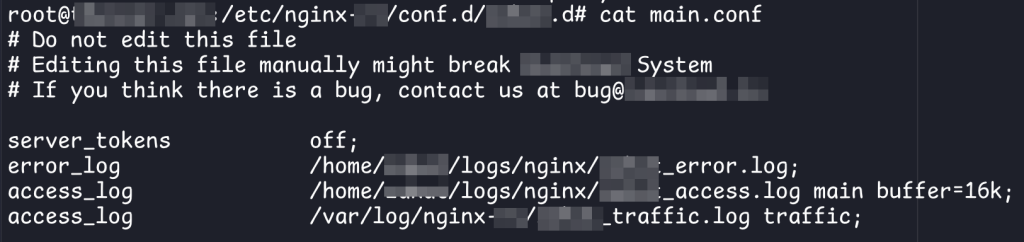
So no configuration management, and no automation like Ansible. It’s worse when you have to duplicate the configuration to multiple environments (production & staging) because this introduced a LOT of human errors.
This is just the tip of the iceberg, and I cannot fully blame them for this. Perhaps some of the problems may have arise from our skill issues ¯\_(ツ)_/¯
Rube-Goldberg Machines and Duct Tapes
This section will be written in the future (probably)
Deploying Applications to Kubernetes
Assuming you have a stateless application, which is the opposite of this:
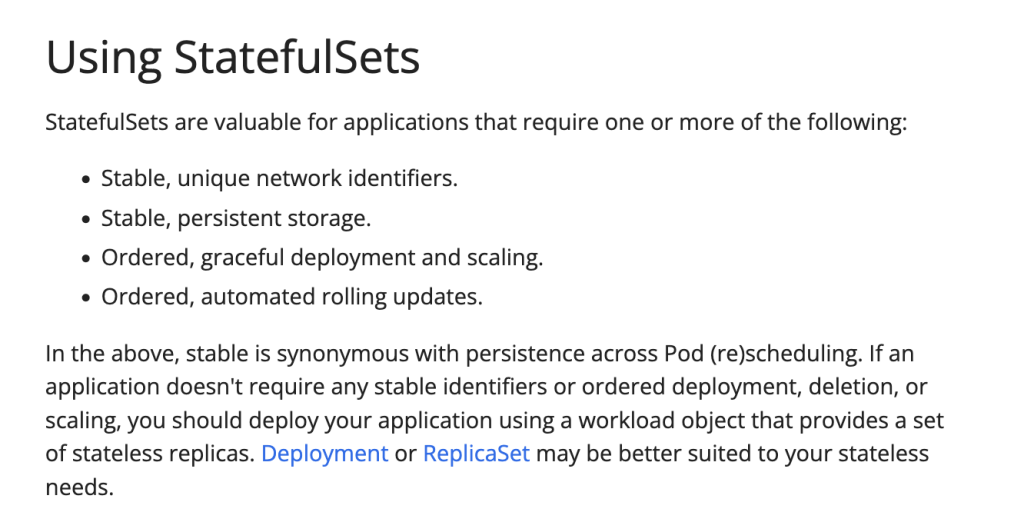
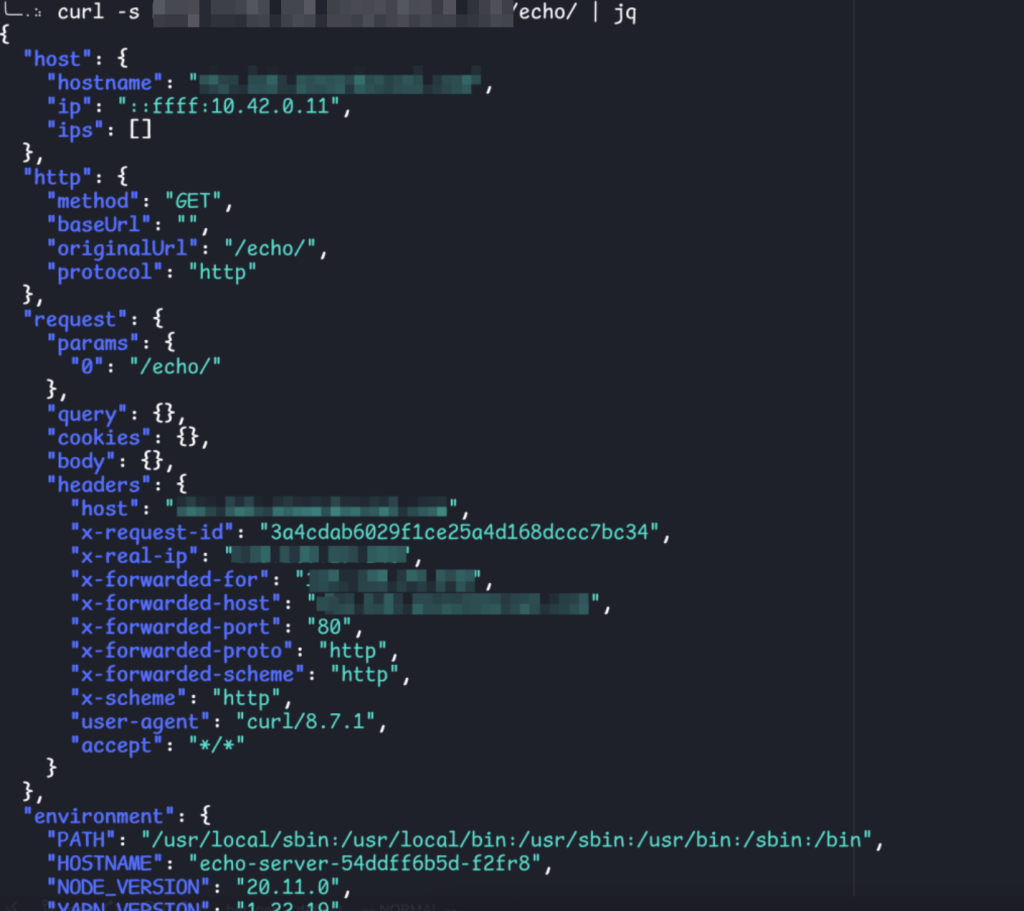
It’s quite easy to deploy to Kubernetes. Using ealen/echo-server as an example, you’re gonna need:
- Namespace (optional, you can just use the default namespace)
apiVersion: v1
kind: Namespace
metadata:
  labels:
    kubernetes.io/metadata.name: corp
name: corp- Deployment (which will create and manage a ReplicaSet under the hood, in turn the ReplicaSet will manage the lifecycle of the Pods)
apiVersion: apps/v1
kind: Deployment
metadata:
  labels:
    app: echo-server
  name: echo-server
  namespace: corp
spec:
  replicas: 3
  selector:
    matchLabels:
      app: echo-server
  template:
    metadata:
      labels:
        app: echo-server
    spec:
      containers:
      - image: ealen/echo-server
        imagePullPolicy: Always
        name: echo-server
        resources: {}
        ports:
        - containerPort: 80
          protocol: TCP
restartPolicy: Always- Service (so that the Ingress below know where the request will go to)
apiVersion: v1
kind: Service
metadata:
  labels:
    app: echo-server
  name: echo-server-svc
  namespace: corp
spec:
  ports:
  - port: 80
    protocol: TCP
    targetPort: 80
  selector:
    app: echo-server
type: ClusterIP- Ingress (or LoadBalancer, but that might need some extra setup/configuration)
apiVersion: networking.k8s.io/v1
kind: Ingress
metadata:
  name: echo-server-ingress
  namespace: corp
spec:
  ingressClassName: nginx
  rules:
  - host: some.domain.here.example.com
    http:
      paths:
      - backend:
          service:
            name: echo-server-svc
            port:
              number: 80
        path: /echo/
pathType: PrefixAnd then just run:
kubectl apply -f namespace.yaml \
  -f deployment.yaml \
  -f ingress.yaml \
  -f service.yaml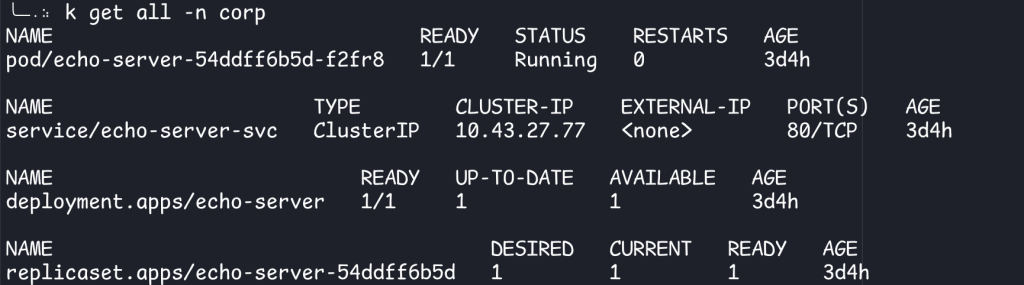
Kustomize
You might ask: is there an easier way than to apply each resource one by one? The answer is: kustomize. Actually, kustomize does more than that. It’s a tool that allows you to configure resources without using template strings.
The easiest way to use kustomize is: create a kustomization.yaml in the same folder as your other resources:
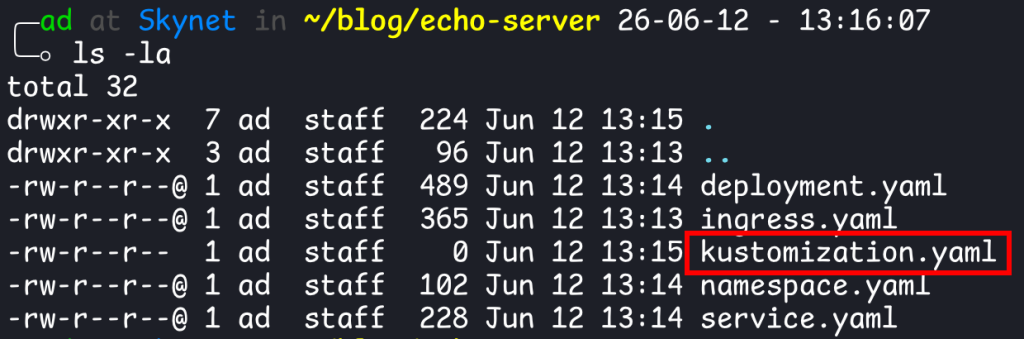
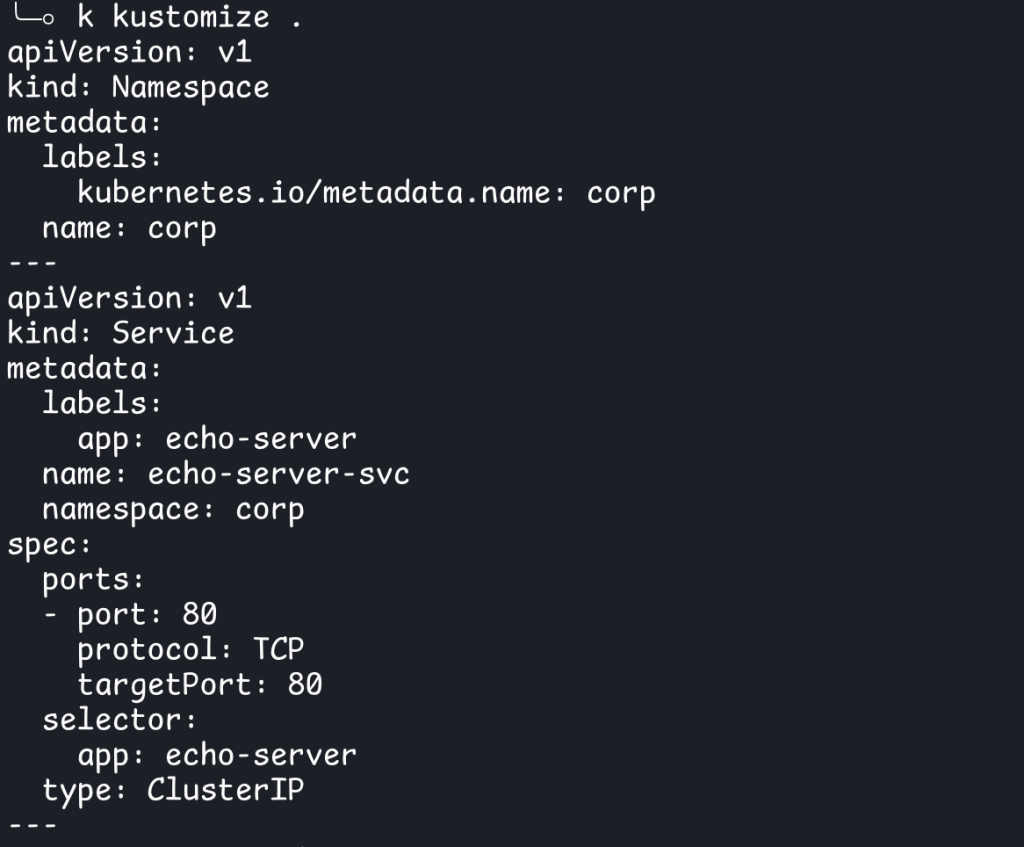
Basically, you need to tell kustomize what resources that it consumes, what transformations to apply to said resources (optional), and when invoked, it will spit back out the manifests with the transformations you defined. Here’s a trivial example, with no transformations applied:
resources:
- namespace.yaml
- deployment.yaml
- service.yaml
- ingress.yamlYou can either run kustomize via the binary or via kubectl kustomize <directory to kustomization.yaml>. Here it just spits back out the manifests that is passed to it, so you can pipe it into kubectl apply -f-
One of the most common transformations is adding a prefix or suffix to the resource names using namePrefix and nameSuffix respectively:
resources:
- namespace.yaml
- deployment.yaml
- service.yaml
- ingress.yaml
namePrefix: somePrefix-
nameSuffix: -someSuffix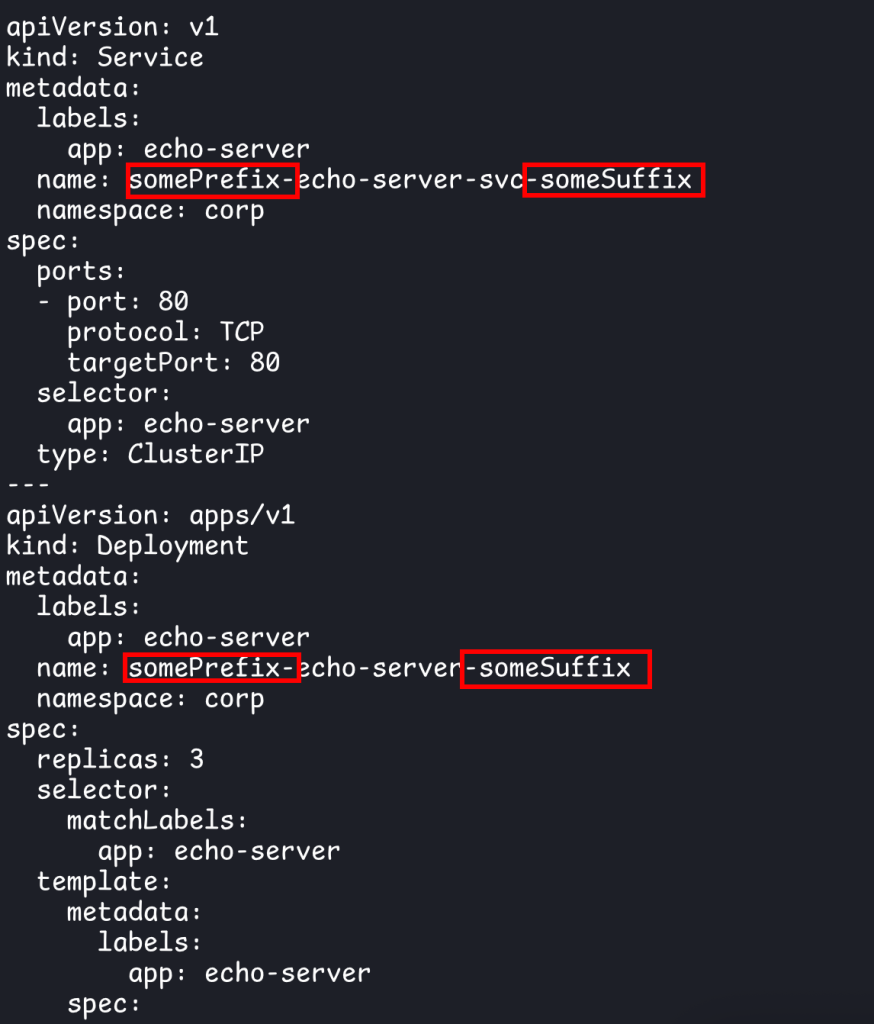
It is also commonly used to configure resources for different environments (i.e. dev/staging/prod). To do this, the manifests are split into 2 parts: base and overlays. Base, as the name suggests, is the base template for the resources that you want to generate/transform. Overlays are the different transformations that can be applied to said resources. If you want to deploy to 3 environments, you will have 3 overlays.
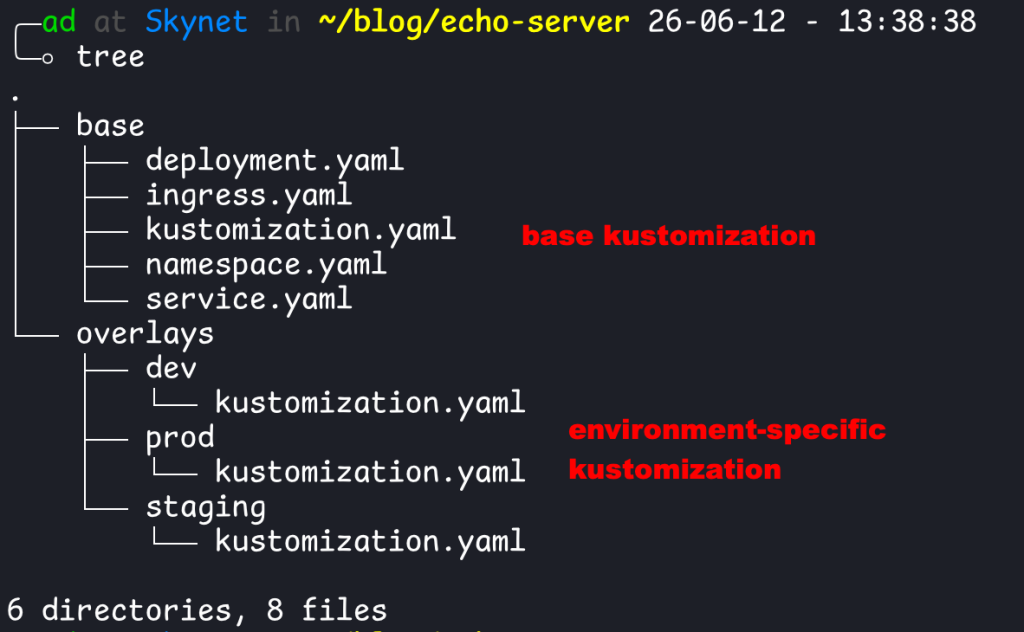
resources:
- ../../base

namePrefix: dev-resources:
- ../../base
namePrefix: staging-resources:
- ../../base
namePrefix: prod-See the transformations below:
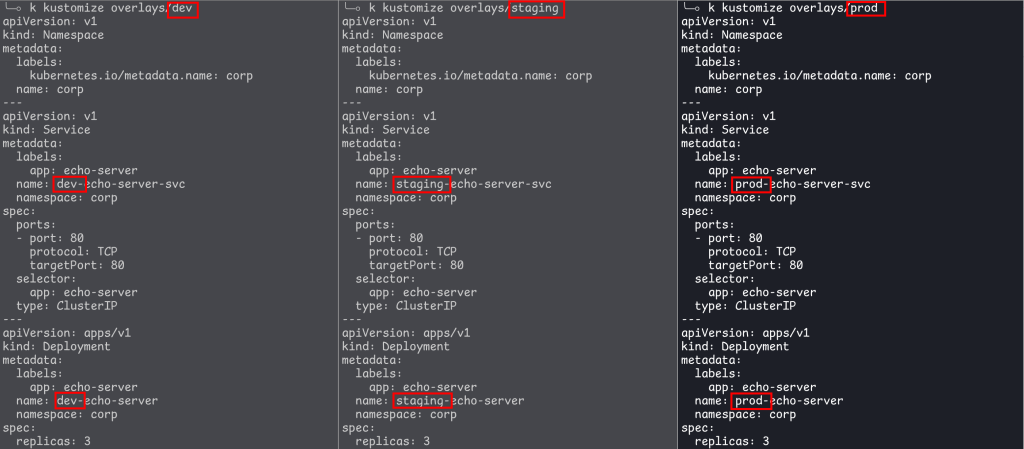
You can do more complex transformations than that though.
Helm
GitOps
If you have played around with Kubernetes even for a little bit, you might run into this little conundrum:
kubectl apply -f resource1.yaml
kubectl apply -f resource2.yaml
rm -rf resource1.yaml # no longer used, let's delete it
# what happens to resource1 in the cluster now?As it turns out, there is something called “orphaned resource” in Kubernetes. Unless you tell the Kubernetes API to delete stuff (kubectl delete), it will only append/create resources from the given manifest, so now you are in the state of “configuration drift”.
The two most popular GitOps tools are: ArgoCD and Flux.
The Kubernetes control loop will ensure that the cluster state matches the configuration. For example, if you have a deployment with 3 replicas, but there are only 2 running pods, the loop will automatically adjust the cluster state until it reaches its desired values.
ArgoCD and Flux builds another layer on top of this. Your manifests now live inside of a Git repository, which will periodically be synced into ArgoCD/Flux.