I have a question that has been circling my mind for a while: should nginx and php-fpm run in separate containers or the same? Consequently, how do we scale them horizontally?
In this article, I will dive a little bit into a little gotcha that I faced in exploring both solutions.
All code can be found on https://github.com/xputerax/php-fpm-sandbox
Setup 1: Separate nginx and php-fpm
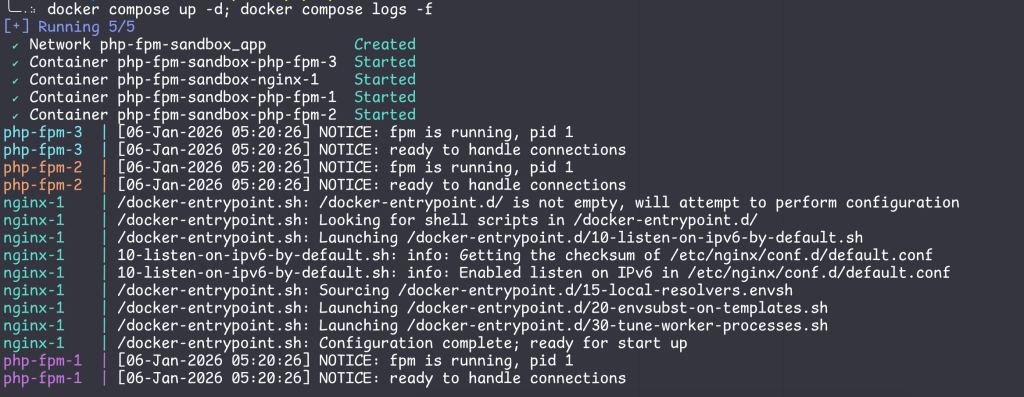
In this method, we will run nginx and php-fpm in separate containers. In order to scale the app, we will add more php-fpm replicas.
compose.yml:
services:
  nginx:
    image: nginx:latest
    command: [nginx-debug, '-g', 'daemon off;']
    volumes:
      - ./nginx/nginx.conf:/etc/nginx/nginx.conf
    ports:
     - 8080:80
    networks:
      - app
  "php-fpm":
    image: "php:8.2-fpm"
    volumes:
      - ./php-fpm/conf.d/www.conf:/usr/local/etc/php-fpm.d/www.conf
      - ./www:/var/www/html
    scale: 3
    networks:
      - app

networks:
  app:
nginx.conf:
events {}

http {
    upstream php_fpm {
        server php-fpm:9000;
        keepalive 64;
    }

    server {
        listen 80;
        server_name localhost;
        root /var/www/html;
        error_log stderr info;
        access_log stderr;

        location /favicon.ico {
            access_log off;
        }

        location ~ \.php$ {
            fastcgi_pass php_fpm;
            fastcgi_index index.php;
            include fastcgi_params;
            fastcgi_param SCRIPT_FILENAME $document_root$fastcgi_script_name;
            fastcgi_param PATH_INFO $fastcgi_path_info;
        }

        location ~ ^/(status|ping)$ {
            access_log off;
            include fastcgi_params;
            fastcgi_param SCRIPT_FILENAME $document_root$fastcgi_script_name;
            fastcgi_pass php_fpm;
        }
    }
}
The php-fpm pool configuration (www.conf) is not really important here, I just wanted to enable the status (/status) and ping (/ping) page in php-fpm.

And then I call my handy script that sends a bunch of request to hostname.php, which shows the container hostname (a.k.a the container ID)
hostname.php:
<?php echo "hostname: " . gethostname(); ?>
Only 1 hostname shows up, what gives? Let’s increase the request count to 1000.
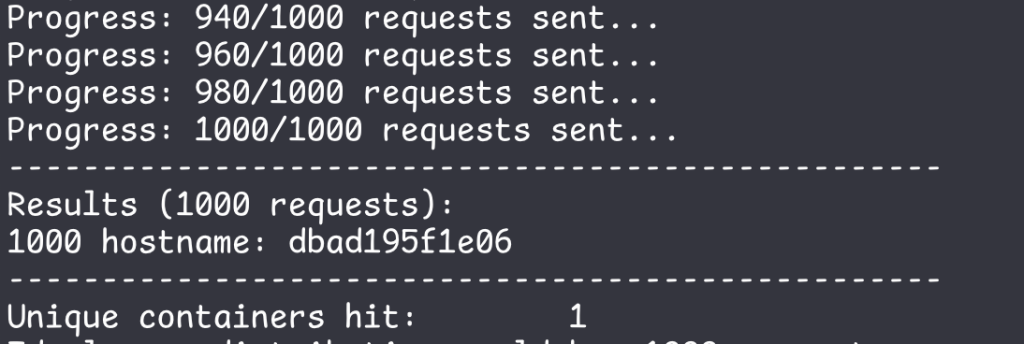
However, the requests still hit only one container. As it turns out, nginx performs the DNS resolution of the php-fpm hostname only ONE TIME. I have yet to find a source for this other than LLMs.
In other words, if you set it up like this, no matter how many php-fpm replicas you create, the requests will only hit ONE container.
What If We Remove “upstream”?
Now let’s try setting the value for fastcgi_pass directly, without using the “upstream” block.
location ~ \.php$ {
            fastcgi_pass php-fpm:9000;
            fastcgi_index index.php;
            include fastcgi_params;
            fastcgi_param SCRIPT_FILENAME $document_root$fastcgi_script_name;
            fastcgi_param PATH_INFO $fastcgi_path_info;
}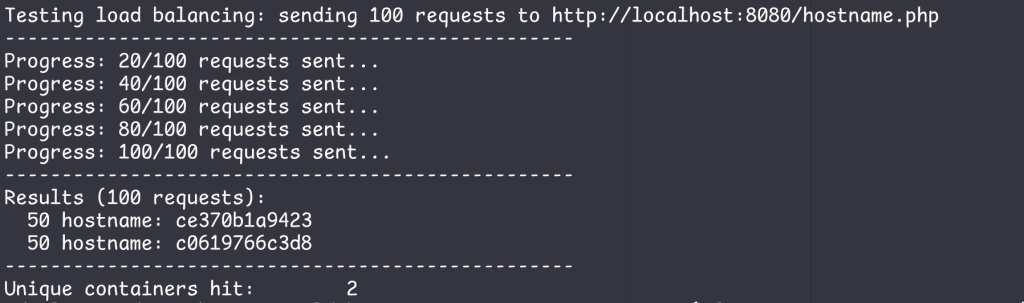
By setting the value directly, nginx does resolve the php-fpm hostname multiple times, but this is not ideal since one of the php-fpm container never does any work, so we are just wasting resources. This issue persists despite increasing the request count to 1000.
This could be due to the efficiency of nginx or php-fpm. Since the request is being sent to a very simple script, each request takes very little time to complete. Therefore, the nginx or php-fpm worker pool is never exhausted. I have no idea on how to validate this hypothesis.
However….
After doing a little bit more research, it is actually possible to have multiple php-fpm containers handle the requests. The fastcgi_pass directive will resolve DNS dynamically (as opposed to doing it one time) if you pass a variable to it.
set $php_backend php-fpm;
fastcgi_pass $php_backend;
You also need to set the DNS resolver to 127.0.0.11, which is the internal resolver provided by Docker.
resolver 127.0.0.11 valid=0s;Otherwise you will encounter this error:
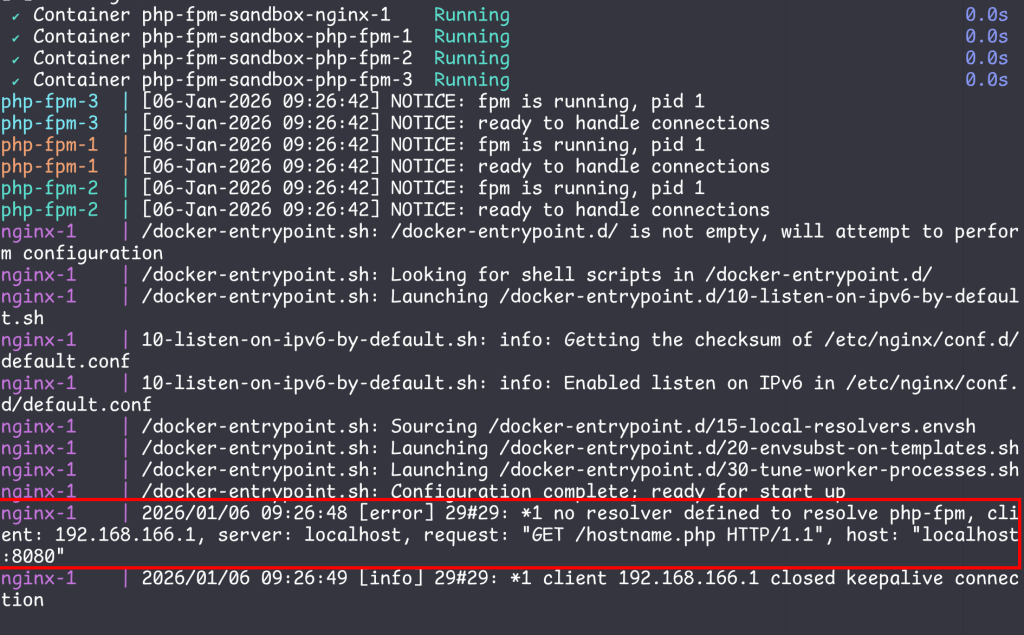
The full nginx.conf then becomes:
events {}

http {
    server {
        listen 80;
        server_name localhost;
        root /var/www/html;
        error_log stderr info;
        access_log stderr;
        resolver 127.0.0.11 valid=0s;

        location /favicon.ico {
            access_log off;
        }

        set $php_backend php-fpm:9000;

        location ~ \.php$ {
            fastcgi_pass $php_backend;
            fastcgi_index index.php;
            include fastcgi_params;
            fastcgi_param SCRIPT_FILENAME $document_root$fastcgi_script_name;
            fastcgi_param PATH_INFO $fastcgi_path_info;
        }

        location ~ ^/(status|ping)$ {
            access_log off;
            include fastcgi_params;
            fastcgi_param SCRIPT_FILENAME $document_root$fastcgi_script_name;
            fastcgi_pass $php_backend;
        }
    }
}
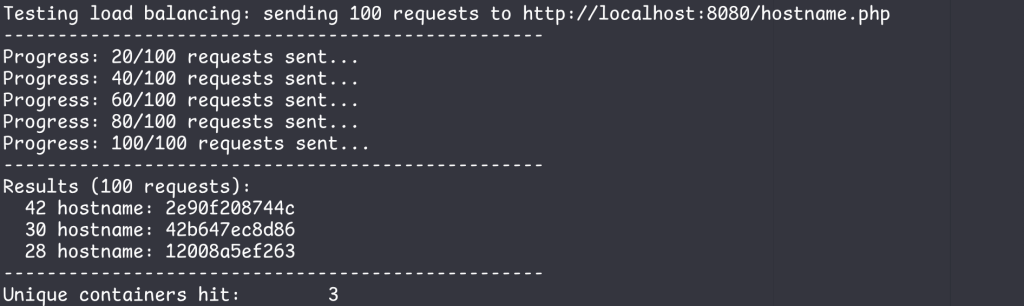
Now all the php-fpm containers can handle the requests
Setup 2: nginx and php-fpm in a single container
nginx.conf: Everything is the same, but the host “php-fpm” is changed to “localhost” now that they both run in the same container.
compose.yml:
services:
  traefik:
    image: traefik:latest
    ports:
    - 8080:80
    - 81:8080
    networks:
     - app
    volumes:
      - /var/run/docker.sock:/var/run/docker.sock
      - ./traefik/traefik.yml:/etc/traefik/traefik.yml
  app:
    image: fpmsandbox:latest
    scale: 3
    networks:
      - app

networks:
  app:
Dockerfile:
FROM debian:12-slim

RUN apt update -y

RUN apt install nginx \
    -y

RUN apt install php8.2 \
    php8.2-fpm \
    -y

COPY nginx_new/nginx.conf /etc/nginx/nginx.conf

COPY php-fpm/conf.d/www.conf /etc/php/8.2/fpm/pool.d/www.conf

COPY app/docker-entrypoint.sh /docker-entrypoint.sh

RUN chmod +x /docker-entrypoint.sh

WORKDIR /var/www/html

COPY www/* .

EXPOSE 80

ENTRYPOINT ["sh", "-c", "/docker-entrypoint.sh"]
docker-entrypoint.sh
alias phpfpm=php-fpm8.2

phpfpm -D

nginx -g 'daemon off;'
traefik.yml:
## traefik.yml

# Docker configuration backend
providers:
  docker:
    defaultRule: "Host(`{{ trimPrefix `/` .Name }}.docker.localhost`)"

# API and dashboard configuration
api:
  insecure: true
Why Traefik?
Now that there are 3 containers running nginx, I cannot simply forward port 8080 as it will listen N times (N = number of replicas) and conflict. Using Traefik, I only need to expose port 8080 one time, and it will distribute the requests to the application containers accordingly. Also, It’s trivial to set up.
Here’s what the Traefik dashboard looks like:
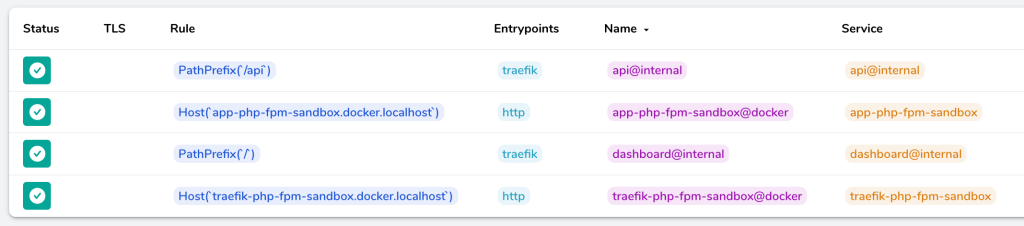
In order to access the application, I added app-php-fpm-sandbox.docker.localhost to my /etc/hosts file. You can configure Traefik in a different way, i.e., proxy “/app” to the application containers instead of routing it using the hostname.

Then start the compose project

In order to test this setup, I ran the same shell script but changed the second parameter to the new URL.

Now the requests are distributed to all application containers.
How about Kubernetes?
I haven’t tested this on Kubernetes, but I assume approach #1 will work just fine since the smallest unit of computing in K8S is a Pod. A Pod may consist of multiple containers, which in this case means an nginx container + a php-fpm container. Furthermore, when you scale up a Deployment/ReplicaSet, it creates more Pods, not individual containers.